Blurb Photo Books: A Review
Get those travel photos out where you can enjoy them when you make a Blurb photo book!
With a variety of drag-and-drop templates, easy photo uploads, and several book sizes, you can create a gorgeous, full color souvenir from your latest road trip, resort stay, or theme park adventure in no time.
I love taking photos and then going back through them with friends and family to relive those memories. Yet, I find myself rarely doing so because it’s so hard to enjoy your photos when they’re stuck on your tiny phone screen.
That’s where Blurb photo books come in and make the entire process of taking your photos from phone to displayable coffee table book incredibly easy.
In the review below, you’ll learn about why I recommend these books to other busy parents, what the process of creating one actually looks like, and the many different ways you can customize them for your family’s lasting memories.
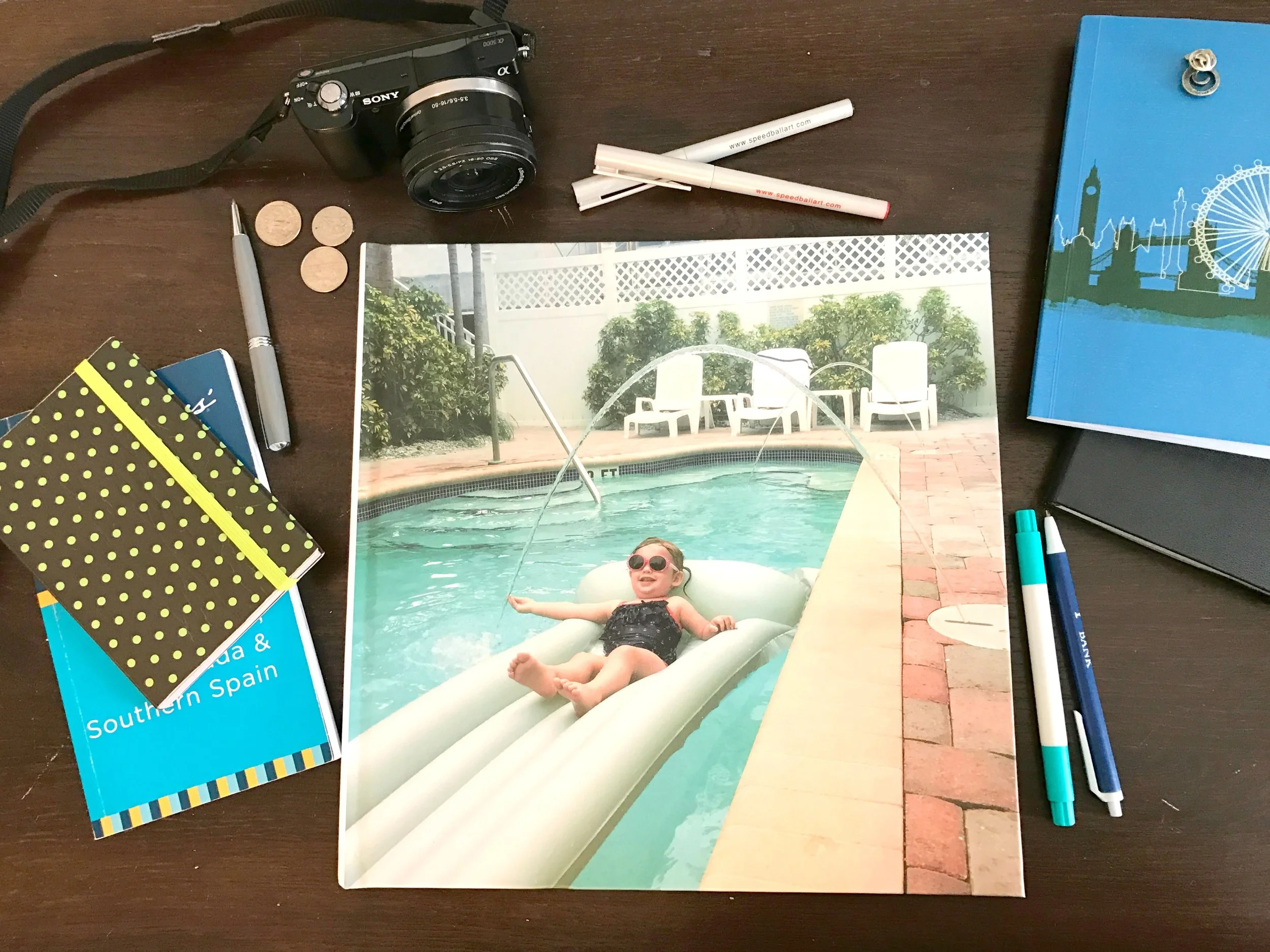
Our Blurb photo book from a recent trip to St. Pete Beach, Florida
This post was sponsored by Blurb. I was provided a complimentary photo book of my choice and compensation in exchange for my honest review.
Why You Need to Make a Blurb Photo Book (or 10!)
My claim to fame in middle and high school was that I was editor of the yearbook 3 times: in 8th grade, 11th grade and 12th grade.
(Yes, I was about as popular as you’d imagine with that resume.)
Pouring over photo layouts and figuring out how to align the words and photos kept me busy through many lunch periods in my younger years, and much of that bled over into my blogging pursuits. What is a website if not a bunch of photo and text layouts?!
Yet, with the craziness of day-to-day life as a parent, the thousands of photos that I take each year seem to stay backed up on my hard drive.
My older child is going to be 4 in just a few short weeks, and I've only made photo books that cover up to her 2nd birthday. I'm 2 years behind at this point, and I don’t know when I’m going to catch up.
At that rate, my 2nd child might get his baby book by the time he graduates high school.
Part of the reason that my photo books take so long is that the software on most major photo sites gives me so many options when I’m creating a page.
I have to make hundreds of decisions across a photo book normally for borders and resizing and cute stickers and moveable text boxes.
While that many options is so good when my creative juices are flowing, and I don’t have 2 small kids who need me all of the time, they can be overwhelming when I'm just trying to make a pretty photo book.
This is where Blurb photo books comes to the rescue.
Their process of making a photo book is incredible easy when compared to SnapFish and Shutterfly.
If you want a beautiful photo book that looks like you spent days on the design, but really only took about an hour, keep reading.
The Process of Making a Blurb Photo Book
I decided to make a book of our Florida road trip that we took a few years back. It included one of our many trips to St. Pete Beach and Clearwater, where we stopped by Walt Disney World with our toddler, visited museums, stayed at the adorable Coconut Inn, and explored Fort de Soto, among other things.
It's easily one of my favorite trips that the entire family has been on, and I've been meaning to put something together with all of the photos so that we can continue to revisit those fun memories.
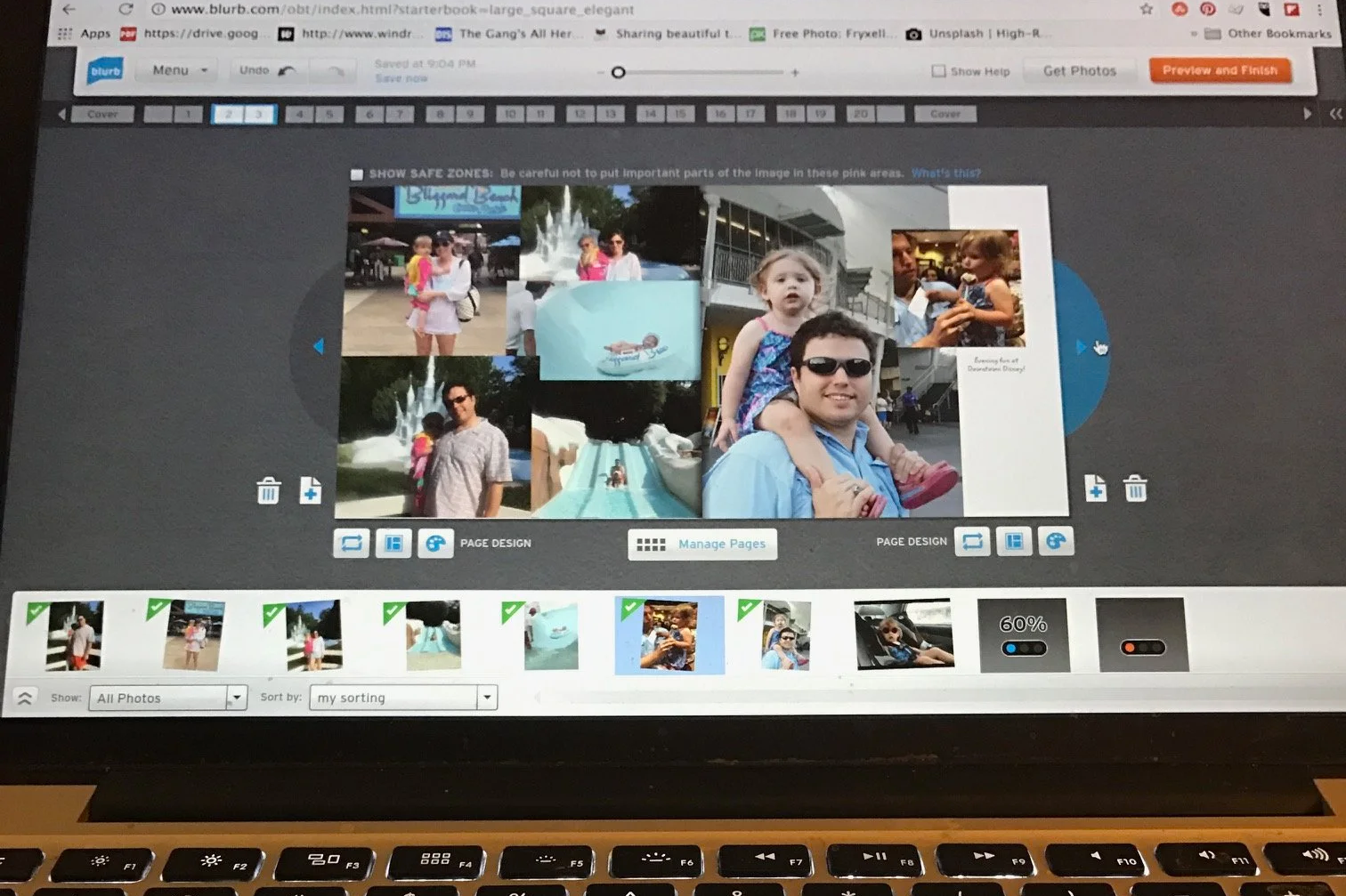
Choosing photos for a spread about Blizzard Beach at Walt Disney World
When I sat down to make the book, it was the first time that I'd used Blurb’s digital design space on their website, so I wasn't super familiar with the process.
You don’t need to download any software, and the entire book making process occurs on Blurb’s website.
You will need to make an account so that you can save your book and then order it, but that’s honestly the most difficult part of the entire process!
Because of my past photo book experience with other companies (and those yearbooks!), I assumed I'd be working on the Florida road trip book for several hours.
Imagine my surprise when I managed to upload all the photos for my book, organize them, and review the layout for my 28 page book in just about an hour.
And that’s even with my super slow internet at our house out in the country near tiny McClellanville, South Carolina.
One thing that really speeds the book making process up is that Blurb provides limited numbers of layouts and just a few fonts for you to choose from.
Once you upload your photos that you’d like in your book, it’s just a matter of dragging and dropping them into the place you want them in the book. If you want it to go even faster, there’s even an auto create feature.
Since you don’t have to fiddle with resizing photos or picking the perfect digital sticker on each page, you’ll have a completed photo book incredibly quickly.
And, when you’re a parent, and you’re already making a million decisions a day, having a process that’s essentially a no-brainer means you’ll finally be able to check this off your to-do list.
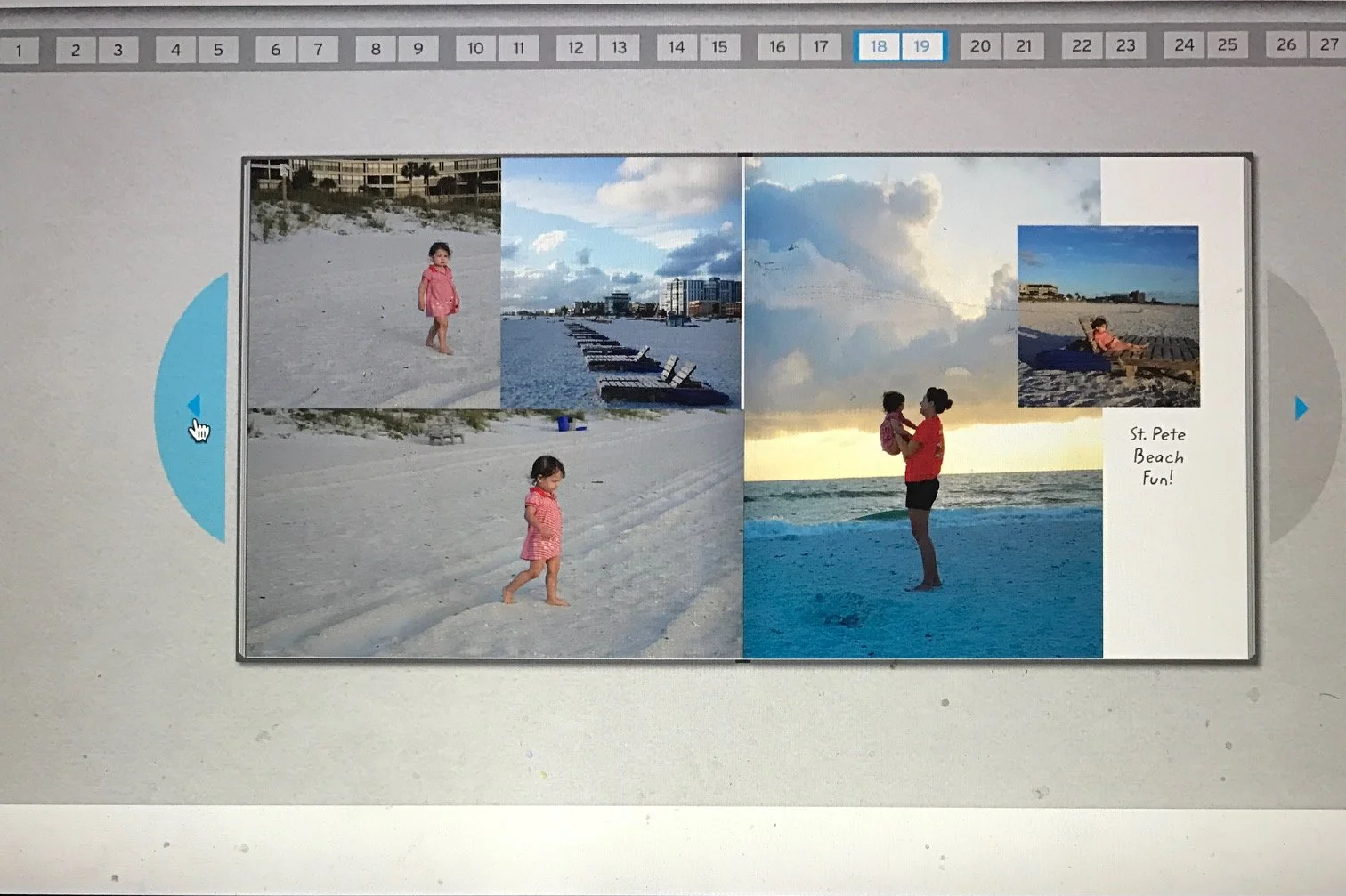
A 2 page spread of my daughter and I at St. Pete Beach
I sent my photo book off for publication and then waited patiently for about a week until it showed up on my doorstep.
It was even prettier in person!
In addition to be a complete yearbook nerd, I am also a complete stationery nerd, and I even worked as a wedding invitation salesperson for several years while I was in grad school.
All of this to say that I can tell you the printing process, paper weight and finish of an invitation at 50 yards.
Blurb has an incredible selection of papers to choose from, so you can really customize your book's look and feel despite the number of layouts and fonts being limited.
I ordered a large square 12" x 12" photo book because my preschooler loves flipping the big pages.
She was so excited to see herself in the pictures.
Both my daughter and my husband hadn't seen any of the photos since right after we'd gotten back from the trip.
My daughter was so much smaller then, and she's amazed that she'd grown so much!
We have kept this book out constantly, as it’s become of my child’s favorite books to look at.
What else to know before you order from Blurb
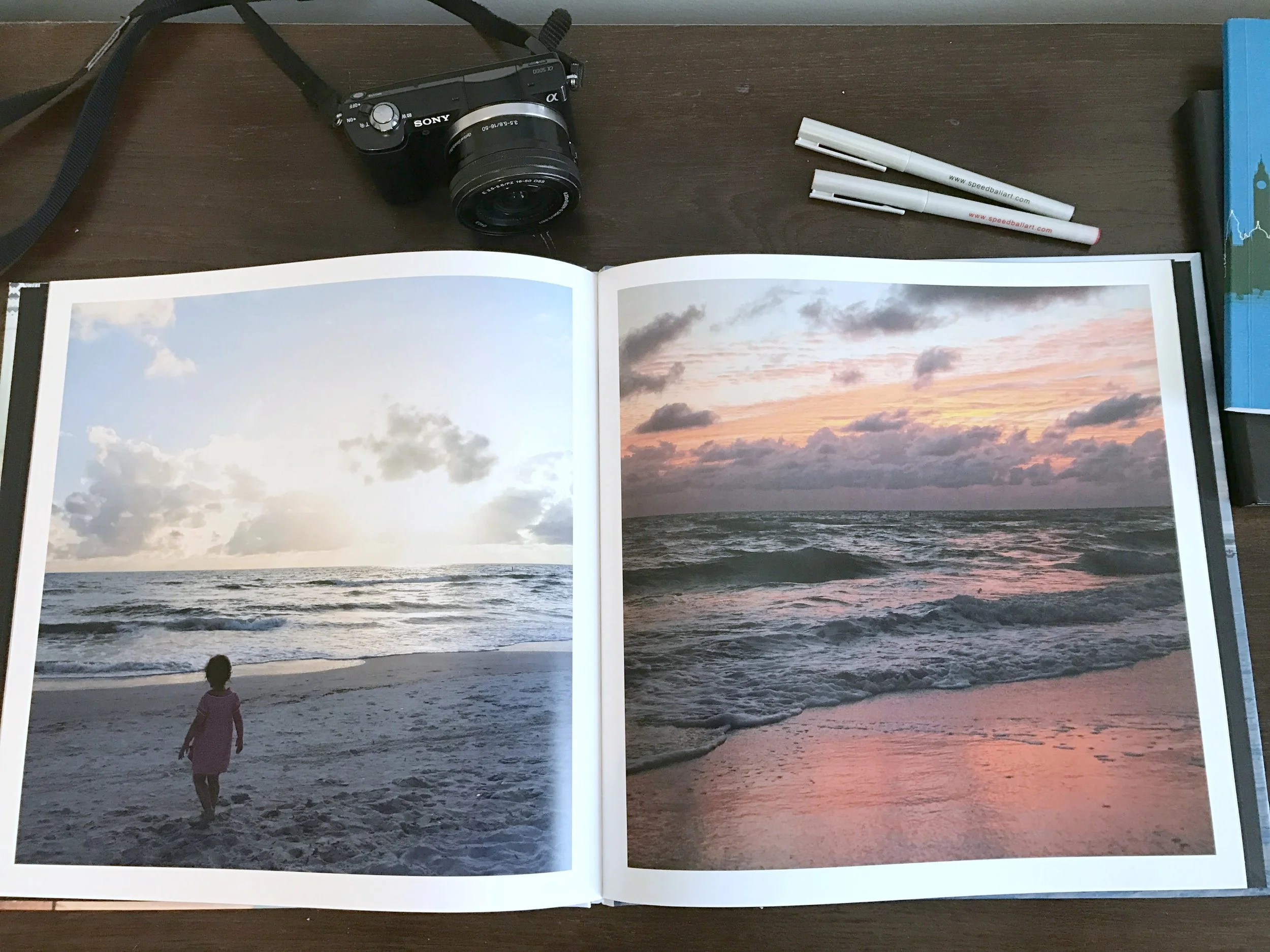
The photos on this large 2 page spread are so crisp and vibrant.
There's something for every budget.
You can go basic with the economy black and white print or really go crazy with the premium papers.
The paper sample pack is $7.95, but you can apply the cost of that towards your book purchase.
You have options on how much control you want over the design.
If you’re in a hurry like I always am, and just want a quick but pretty photo book, Blurb has an option for that with direct design on their website.
If you want more customization, you can download BookWright, or use the website’s Adobe InDesign plug-in.
There’s more to Blurb than just photo books.
You can make custom journals with dust jackets that are perfect for keeping track of your baby’s milestones or your camping trips.
You can self-publish for selling on Amazon through their platform, or you can make a customized cookbook, magazine, or wall art for your house.
There's also an amazing feature offered by Blurb called BookWright that will allow you to take the content on your blog and print it out in full color.
The feature supports all blog platforms, so it doesn't matter if you use Wordpress, Blogger, Squarespace, or another.